In-game text formatting
Create formatted Splitwars messages with a live editor, or browse player-supplied colour and formatting examples.
Create your game message
Type your message, select the words you want to style, then use the controls. Copy the finished text and paste it into the game.
0 text characters · 0 including tags
The editor copies text with balanced game tags, including colour and size tags. The preview is illustrative: supported tags, sizes and character limits can differ between game fields. Test a short message first. Your draft stays in this browser; no account is required.
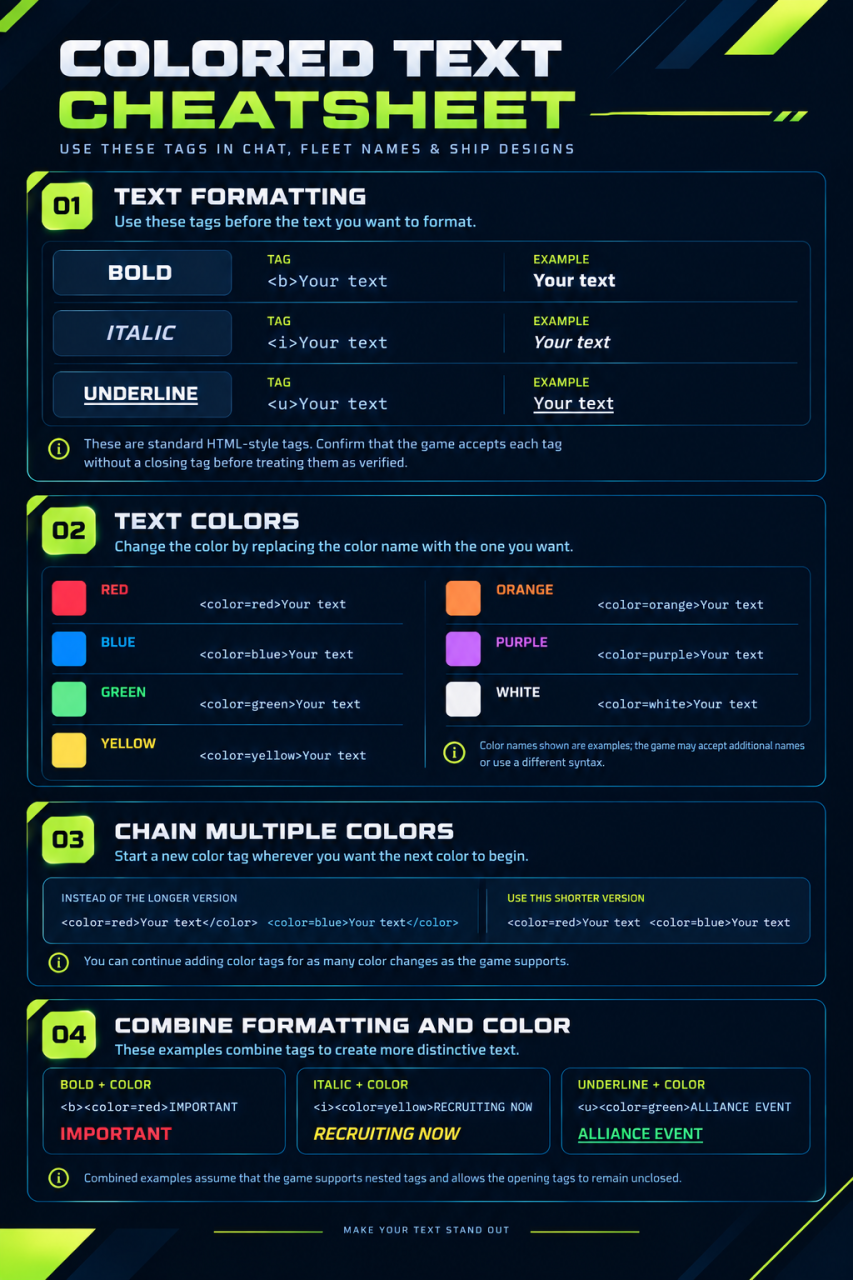
These examples were supplied by Xzypher. The sheet describes use in chat, fleet names and ship designs, but support may differ between game fields. Website previews show the intended appearance; they are not proof that the game accepts a tag.
Text formatting
Copy a supplied example and replace “Your text” with your message. The examples below use the opening-tag form shown on the reference sheet.
| Style | Copyable example | Website preview |
|---|---|---|
| Bold | <b>Your text | Your text |
| Italic | <i>Your text | Your text |
| Underline | <u>Your text | Your text |
Text colours
The sheet gives these colour names as examples. Acceptance of each name and the need for a closing tag still need in-game testing.
| Colour | Copyable example | Website preview |
|---|---|---|
| Red | <color=red>Your text | Your text |
| Blue | <color=blue>Your text | Your text |
| Green | <color=green>Your text | Your text |
| Yellow | <color=yellow>Your text | Your text |
| Orange | <color=orange>Your text | Your text |
| Purple | <color=purple>Your text | Your text |
| White | <color=white>Your text | Your text |
Combine formatting and colours
These are the combinations supplied on the sheet; nested tags and unclosed tags need testing in the game.
- Bold red message:
<b><color=red>IMPORTANT - Italic yellow message:
<i><color=yellow>RECRUITING NOW - Underlined green message:
<u><color=green>ALLIANCE EVENT
Change colour partway through a message
The supplied shorter form starts another colour tag at the point where the next colour begins:
<color=red>Your text <color=blue>Your textThe reference also shows a form with closing colour tags:
<color=red>Your text</color> <color=blue>Your text</color>Testing and limits
Test a short message in the intended game field first. If tags appear literally or the result is wrong, remove them. Please report the field, the exact working tags and a screenshot so this guide can distinguish confirmed syntax from examples.
Still to confirm: supported colour names, whether closing tags are required, nested-tag support, field-specific restrictions and character limits.
Formatting examples and reference sheet supplied by Xzypher, 3 November 2026.
View the reference sheet supplied by Xzypher